BitStarz Casino Is It Down
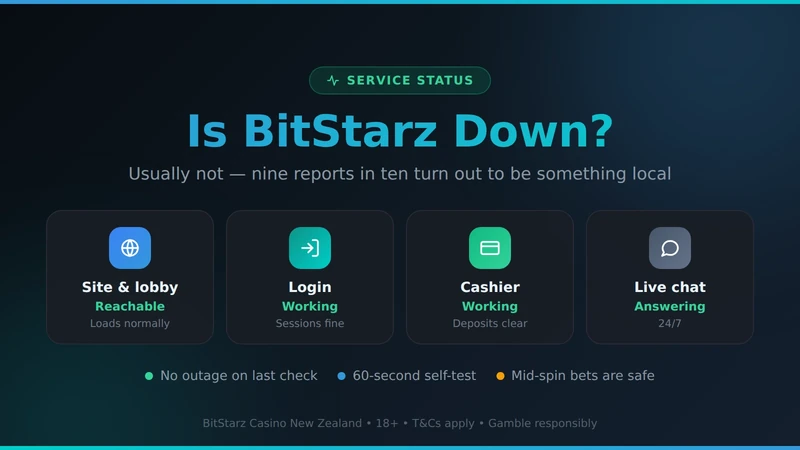
Usually not. Nine times out of ten it is your network, your browser or an expired session — and you can tell which in about a minute.
No widespread outage reported
Editorial check, not a live probe — see the note below
Last verified
Site & lobby
Reachable
Login
Working
Cashier
Working
Live chat
Answering
We check by hand rather than by monitor, so this reflects the date shown, not this second. Your own sixty-second test below is more current than any status widget on an affiliate site — including this one.
The 60-second check
Work down this list in order. It takes about a minute and it separates "the casino is down" from "something on my end is broken" in almost every case we have seen.
Switch to mobile data. Turn Wi-Fi off on your phone and load the site. If it works on mobile data and not on your home connection, your ISP or router is the problem and the casino is fine. This one test resolves more cases than everything below it combined.
Open a private window. This bypasses cached files, stale cookies and most extensions in one move. If the site loads in private browsing, clear cookies for the domain in your normal window and it will behave again.
Disable your ad blocker and privacy extensions for the site. Aggressive blockers routinely break the cashier and the live chat while leaving the lobby working, which produces exactly the "half the site is down" symptom people report.
Turn off any VPN. A VPN exit node in the wrong country will get you blocked at the door and can also flag your account. If you are in New Zealand you do not need one.
Try a second device on the same network, then a different network. Two devices failing on one network points at DNS or the router. Two networks failing points at the casino — and only then is it worth contacting anyone.
Flush DNS, or switch resolver. A stale DNS record on a New Zealand ISP is a genuine and frequent cause. Changing your device to a public resolver for five minutes is a quick way to rule it in or out.
One thing not to do: do not retry a failed deposit over and over while you work through this. Repeated declines escalate the risk score on your card and can get the method blocked for gambling permanently — a much longer-lived problem than the one you started with. The reasons behind declines are on the payments page.
Fix it by symptom
The page will not load at all
It loads, but login fails
Games load but the cashier will not open
One game is broken, everything else works
My balance looks wrong after a disconnect
Error codes and what they actually mean
| What you see | What it means | What to do |
|---|---|---|
| 403 / access denied | Blocked at the edge — commonly a VPN exit node or an unexpected country | Turn off the VPN and reload |
| 502 / 504 | A server behind the front end is not responding. Genuinely their side | Wait 15–30 minutes, then retry |
| 503 / maintenance page | Planned work. Usually short and announced | Wait it out; nothing to fix |
| "Session expired" | Idle timeout, or a cookie that no longer matches | Clear site cookies and log in again |
| DNS / server not found | Your resolver cannot find the address | Flush DNS, or switch resolver, then retry |
| Game tile spins forever | Provider-side, or a blocker stopping the game frame | Try another studio's game to confirm |
| Payment declined at the cashier | Not an outage — your bank refused it | See the declined deposits section |
What happens to your bet if the connection drops mid-spin
This is the question that worries people most and it has a reassuring answer. The outcome of a spin is decided on the game provider's server the moment you press the button. What happens in your browser afterwards is an animation of a result that already exists. Losing your connection halfway through does not change it, cancel it, or hand the decision to the casino.
In practice: log back in, open game history, and the round will be there with its outcome applied to your balance. If a round was genuinely interrupted before completing — most often on a bonus feature that spans several steps — it normally shows as unfinished and resumes automatically when you reopen that game. Live dealer tables are the exception: a dropped connection there can mean a missed decision on your hand, because the table does not wait, and that is worth knowing before you play blackjack on flaky Wi-Fi.
If history and balance disagree after a disconnect, screenshot both with the timestamps visible and open a chat. Take the screenshots before you play anything else — a support ticket is quick when the evidence is clean and slow when the session has moved on.
Outage log
What we have recorded during our own checks. This is a hand-kept log rather than automated monitoring, so treat it as a pattern rather than a complete record.
One game studio's titles unavailable
Around 3 hours · lobby, cashier and login unaffected
Scheduled maintenance window
Under 1 hour · announced in advance on site
Cashier slow to load, games unaffected
Around 90 minutes · deposits eventually completed
Nothing in that log is unusual for an online casino. What would be worth flagging is a pattern — repeated cashier failures, or withdrawals stalling every time the site has a wobble. We have not seen that here. If your payout has stalled and the site is otherwise healthy, the cause is more likely to be in the pending queue than in an outage.