
BitStarz Casino Verification
Step-by-step BitStarz Casino verification for New Zealand players: what to prepare, how to upload, common snags and fixes, plus myths cleared up.
Why BitStarz asks you to verify
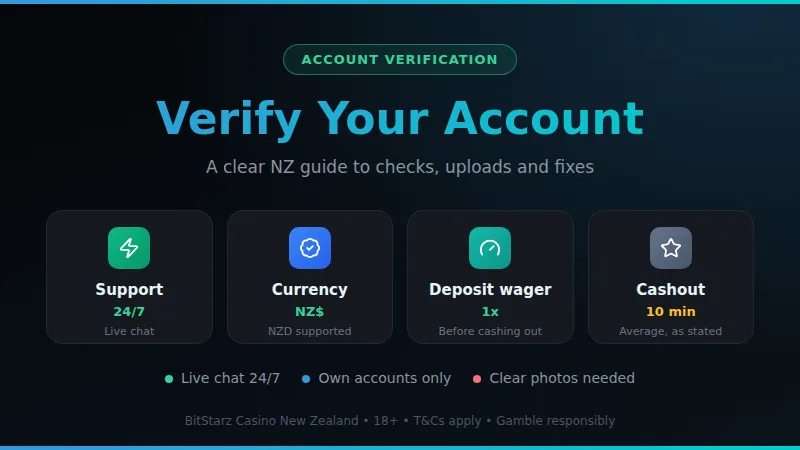
BitStarz verification is an identity check on your account. Prepare a clear photo ID, proof of address and proof of any card you deposited with, then send them through the account area or to live chat. Support runs 24/7, so a stuck check can be sorted quickly.
Verification, often called KYC (know your customer), is the step where the casino confirms that the person behind the account is a real adult who owns the payment methods being used. BitStarz Casino is run by Gareton B.V. and holds a Curaçao Gaming Authority licence, and like any licensed operator it has to know who it pays. For you as a New Zealand player, that means a few minutes of paperwork rather than anything complicated.
The check can come up at different moments: after sign-up, around a deposit, or when you ask for a payout. Support can tell you which stage applies to your account. The casino's terms also say it may phone you during KYC, so keep your phone nearby and your number up to date in your profile. Answering promptly is the single easiest way to keep things moving.
- Operator
- Gareton B.V., Curaçao
- Licensing body
- Curaçao Gaming Authority
- Licence number
- OGL/2024/165/0185
- Account currency
- NZD is supported
- Live support
- Live chat, 24/7
- Phone contact
- Possible during KYC
Verification also protects you. A confirmed account is much harder for someone else to misuse, and the payout goes only to a payment method that has been matched to you. If you are new to the site, the about page explains how this guide is put together, and the payments guide covers the cashier side.
What to prepare before you start
Most delays come from files that are blurry, cropped or out of date, not from anything wrong with the account. Spend five minutes getting your documents ready before you open the upload form. Support confirms the exact list for your account, but the items below are the usual starting point for an identity check.
- A government photo ID such as a passport or driver licence, valid and not expired.
- A recent document showing your name and home address, such as a utility bill or bank statement.
- If you paid by card, a photo of the card with the middle digits covered, matching your own name.
- Good light and a flat surface, so all four corners and every line of text are readable.
- Your account details exactly as typed at sign-up: name, date of birth and address.
- Files saved in a common format such as JPG, PNG or PDF, small enough to upload on mobile data.
| Item | Tip |
|---|---|
| Photo ID | All corners visible |
| Address proof | Recent, your name |
| Card photo | Cover middle digits |
| Profile details | Match documents |
The payment rules matter here. The casino's terms say you may only use your own cards and accounts, so a card or e-wallet in someone else's name is the most common reason a check fails. If a card deposit is on your plan, use a debit card: in New Zealand a credit card deposit is treated as a cash advance by the card issuer, which can bring extra fees.
What to do if verification did not work
A rejected or stalled check feels worse than it is. In nearly every case the fix is a cleaner file or a short chat with support, and your balance stays where it is while you sort it out. Work through the steps below in order rather than uploading the same files again and again.
-
1
Read the message carefully
Check the notice in your account or inbox. It usually names what was wrong, such as an unreadable page or a name mismatch.
-
2
Fix the exact problem
Retake the photo in daylight, show the full document, or pick a newer proof of address. Change one thing at a time.
-
3
Check your profile details
Make sure the name, date of birth and address in your profile match the documents letter for letter.
-
4
Open the live chat
Press the HELP button at the bottom right of the site and open live chat. Support is available 24 hours a day, 7 days a week.
-
5
Ask what is outstanding
Ask support to name the document still needed and the best format, then send it once, in the right way.
If the matter drags on and you feel you are not getting answers, the casino's complaints page points players to the licensing regulator or an independent complaints service. Try support first, politely and with your dates ready, as that resolves almost everything. And if gambling stops being fun at any point, pgf.nz and the Gambling Helpline offer free, confidential help across New Zealand.
Common verification problems
The same handful of issues account for most stuck checks. Knowing them in advance lets you avoid them completely, and if one has already happened to you, the matching fix is usually straightforward.
Blurry or cropped photos
Glare, shadows and cut-off corners are the top cause of rejection. Lay the document flat, switch on a light and photograph it straight on.
Name does not match
A nickname, a missing middle name or a married name on one document can trigger a rejection. Use the same full name everywhere.
Old address proof
A document that is too old, or one without your full address, may be refused. Pick the newest bill or statement you have.
Someone else's payment method
Cards and accounts must be your own. A partner's or friend's card will not pass, even if you are sure they will not mind.
Wrong file type or size
Huge photos can fail to upload on a weak mobile signal. Use JPG, PNG or PDF and shrink the file if needed.
Waiting without checking
Sometimes a request sits in your inbox or spam folder. Look there first and open the chat if nothing has arrived.
A different kind of snag is the site itself being slow or unreachable when you try to upload. In that case, check the status guide first, wait a few minutes and try again, rather than sending the same file several times.
Step by step with screenshots
The layout of the account area can change as the site is updated, so treat the steps below as a map rather than a script. The screenshots show where each control sits right now, and the wording of the steps matches what you will see on screen.
-
1
Log in to your account
Sign in on desktop or mobile with the details you registered. Check that your profile name and date of birth are correct.
-
2
Open your profile
Go to the account or profile area and look for the verification or documents section, or any notice asking for files.
-
3
Choose the document type
Pick the item you are sending, such as photo ID or proof of address, so it lands in the right place.
-
4
Take or select the photo
Use the camera for a fresh shot or choose a saved file. Check the preview shows every corner and line of text.
-
5
Upload and confirm
Send the file and wait for the on-screen confirmation. Repeat for each document that is requested.
-
6
Tell support if needed
If there is no upload form for you, open live chat from the HELP button and ask how to send the files.
Follow the screens in order to see where the account menu, document upload and live chat button sit.
Once your documents are accepted, nothing else is required on your side. If you are planning a payout, it is worth reading the withdrawal times guide so you know what to expect, and the minimum deposit page if you are still deciding how to fund the account.
Verification and your withdrawals
Verification and payouts are closely linked in practice. The casino states that its average cashout time is no longer than 10 minutes, and that it aims to pay withdrawals within an hour. A completed identity check removes the usual reason for a payout to wait, so doing it early means that when you do win, nothing stands between you and your money.
Two other rules are worth knowing. Withdrawals go back to the same method you used to deposit, which is why the name on that method has to be yours. And deposits are expected to be wagered once before you can withdraw them. If you took the welcome package, its bonus wagering is 40x, so keep an eye on progress in your account before requesting a payout.
Inactive accounts are worth a thought too. The terms describe a monthly fee after six months without activity, so log in now and then, and keep your documents and details current so a future check goes smoothly.
Myths and misconceptions about BitStarz verification
| Myth | Reality |
|---|---|
| It takes days | Often quick |
| No support | Always open |
| Any card works | Own card only |
| Rejection bans you | Just resend |
| Selfie means risk | Normal check |
Each of these is a common worry, and each is easier to deal with than it sounds. Live chat is staffed 24 hours a day, so you can always ask what is needed. A rejected file does not ban or block anyone: it simply means a clearer document must be sent again.
The biggest myth is that a request for documents means something has gone wrong. It does not. It is a routine step, and being asked is not a judgement on you. The second is that you must wait helplessly when a check stalls. Live chat is open around the clock, so you can ask what is needed rather than guessing.
Another belief is that a friend or partner can deposit for you. The terms say you may use only your own cards and accounts, and payouts return to the original method, so a third party's card creates problems later. Finally, many people think one rejected photo locks the account. A rejected file just means a better one is needed, so retake it, check the details and send it again.
BitStarz verification questions answered
Do I have to verify my BitStarz account?
Which documents should I have ready?
How do I contact support about my check?
Can I use a card that belongs to someone else?
Will verification speed up my withdrawal?
Does BitStarz support New Zealand dollars?
Where can I get help if gambling stops being fun?
Ready to try BitStarz Casino?
Open an account in New Zealand dollars and see the cashier and the lobby for yourself.
18+. Gamble responsibly. Gambling Helpline NZ 0800 654 655.